Examples
From My Recipe Book to a Multi-User App — in Minutes
The story
I love cooking, but I rarely follow a recipe exactly as written. I like to experiment, make substitutions, increase the protein, reduce the calories… and, naturally, have a few comments along the way. 😅
If a recipe survives contact with me, it has earned a medal. Parmesan is optional. Opinions are not.
So I built myself an Interactive Recipe Book with Base44 — an app where I can ask for a recipe, chat with it, tweak it until it meets my very specific requirements, and only then save it.

It turned out so nice that I thought: Why should I be the only one having fun with this? So I decided to let my friends use it too.
They were very enthusiastic about “our” recipe book. Too enthusiastic. One of them saved a dessert that involved ketchup. That’s when I knew we needed accounts.
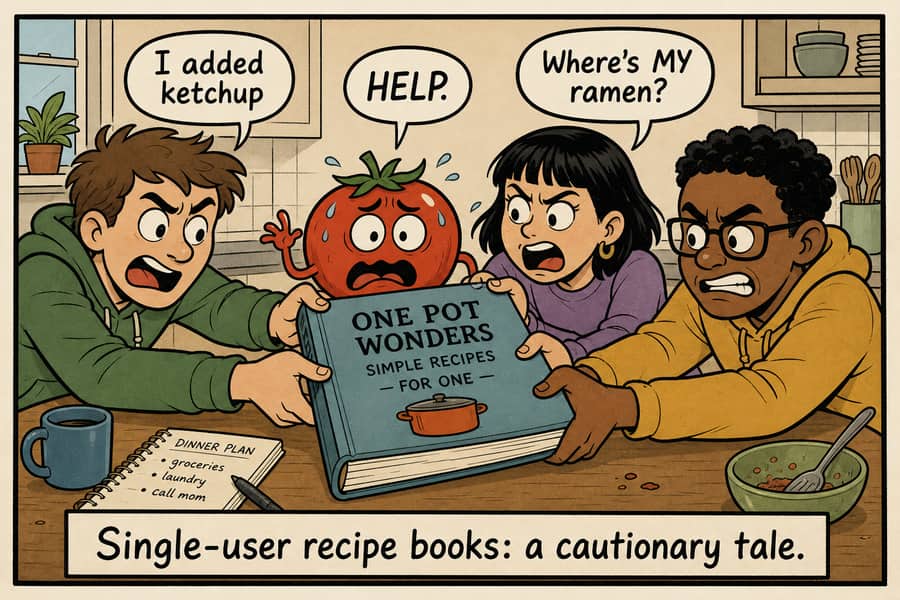
That meant turning my nice little single-user app into a proper multi-user application, with authentication and private user data. For that, I integrated secureFlows.
In this document, I’ll show how surprisingly simple that turned out to be. In fact, the whole migration took just a few minutes.
And just like that — my personal recipe playground became a multi-user app. 🍝
secureFlows does not judge your calorie-reduction experiments. It just keeps them private — which, honestly, is the more important feature.
Build the single-user app (Base44)
I started with a standalone, single-user app — no accounts, no shared backend. I asked Base44 to build it with this prompt:
Prompt 1 — standalone single-user app
Build me a web app called Dynamic Recipe Book.

I want to be able to ask for a recipe in natural language, get a recipe back, and then chat with the app to refine it until I’m happy with it.

For example, I might ask:

“I want a high-protein chicken pasta.”

The app should generate a recipe with:

* Recipe name
* Description
* Ingredients with quantities and units
* Preparation instructions
* Number of servings
* Preparation time
* Cooking time
* Estimated calories per 100g
* Protein per 100g
* Carbohydrates per 100g
* Fat per 100g
* Fiber per 100g
* Relevant dietary information
* Common allergens

After receiving the recipe, I should be able to continue chatting with the app and ask for changes, for example:

* “Make it higher in protein.”
* “Replace the cream.”
* “I don’t have parmesan.”
* “Make it vegetarian.”
* “Reduce the calories.”
* “Make it serve 6 people.”

The recipe should be updated according to my requests while preserving the parts that I didn’t ask to change.

I should be able to continue modifying the recipe through the conversation until I’m satisfied.

Once I’m happy with it, I should be able to save the recipe.

Pages

Recipe List

Show my saved recipes.

Each recipe should have:

* Name
* Short description
* Nutrition summary
* Preparation/cooking time

Each recipe should have options to:

* View
* Edit
* Delete

There should also be an option to create a new recipe.

Recipe

Show the current recipe and the conversation used to modify it.

I should be able to edit/refine the recipe through the conversation and explicitly save it when I’m satisfied.

A newly generated recipe should not be saved automatically.

Keep the application focused on this core functionality. Do not add unrelated features such as social sharing, ratings, comments, meal planning, or shopping lists.
Migrate to secureFlows
Then I wanted to make it multi-user. So I told Base44 to use secureFlows — pointing at the published integration skill and my workspace / app id.
Note
This story skips the console setup: you need a secureFlows account, a workspace, and a
registered application so you have real workspace and appId values
to plug in. If you have not done that yet, see the
Integration Walkthrough — it covers opening an
account and registering a new application before you run prompts like the one below.
Warning
Migration can change how and where your app stores user data. Existing data may be lost if something goes wrong. Back up or export everything you need to keep before you change auth, storage, or run any migration prompts.
With those ids in hand, the migration prompt looks like this:
Prompt 2 — use secureFlows for a multi-user app
Migrate the application to secureFlows

On this step, we are going to migrate this application from a single-user application into a multi-user application with authenticated users and private, persistent user data.

We will use secureFlows for this.

secureFlows is a SaaS that provides end-to-end secure user data management, including:

* encrypted and isolated user data storage
* secure user authentication
* authorization

Use secureFlows for auth and data storage (read https://www.secure-flows.com/ai/secureflows-integration/SKILL.md).

Use:

* workspace = demo-workspace
* appId = dynamic-recipe

I want to migrate this existing application to secureFlows.
That second prompt is the whole migration brief: keep the existing product, add hosted login, and store each user’s recipes privately. For the general pattern (any local-only app), see Integration from a local-only app.
What the multi-user app looks like
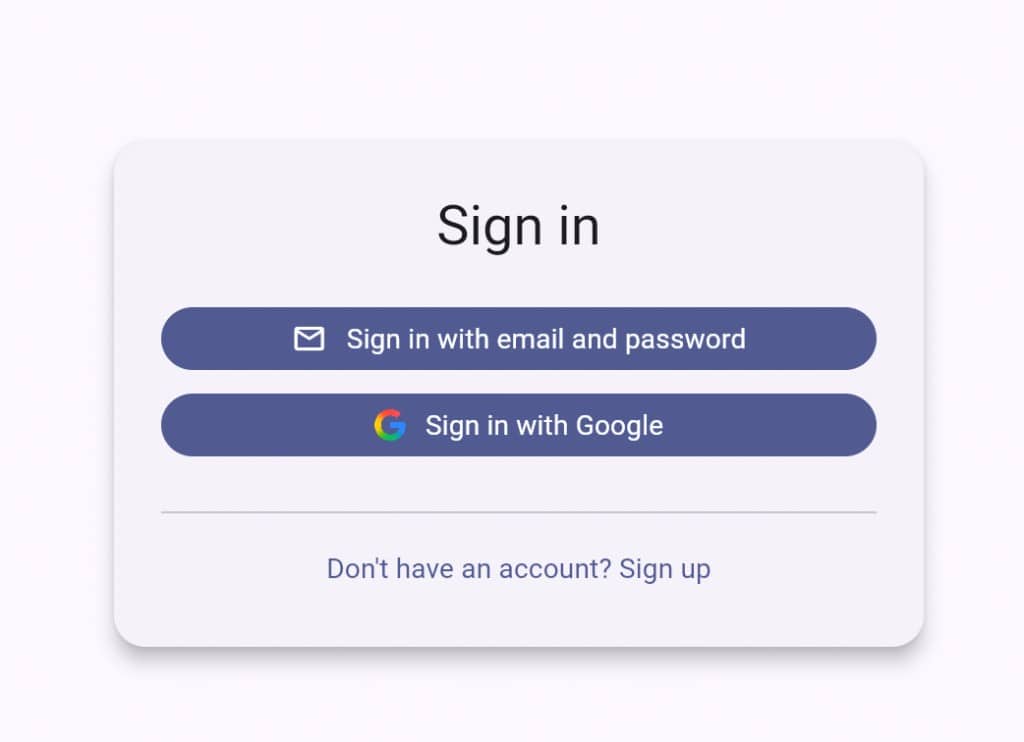
After migration, opening the app starts with secureFlows hosted sign-in — email/password or Google — instead of a shared local playground:
Once signed in, the same Recipe + chat experience is there — and so is Sign out and a private My Recipes list for that user:
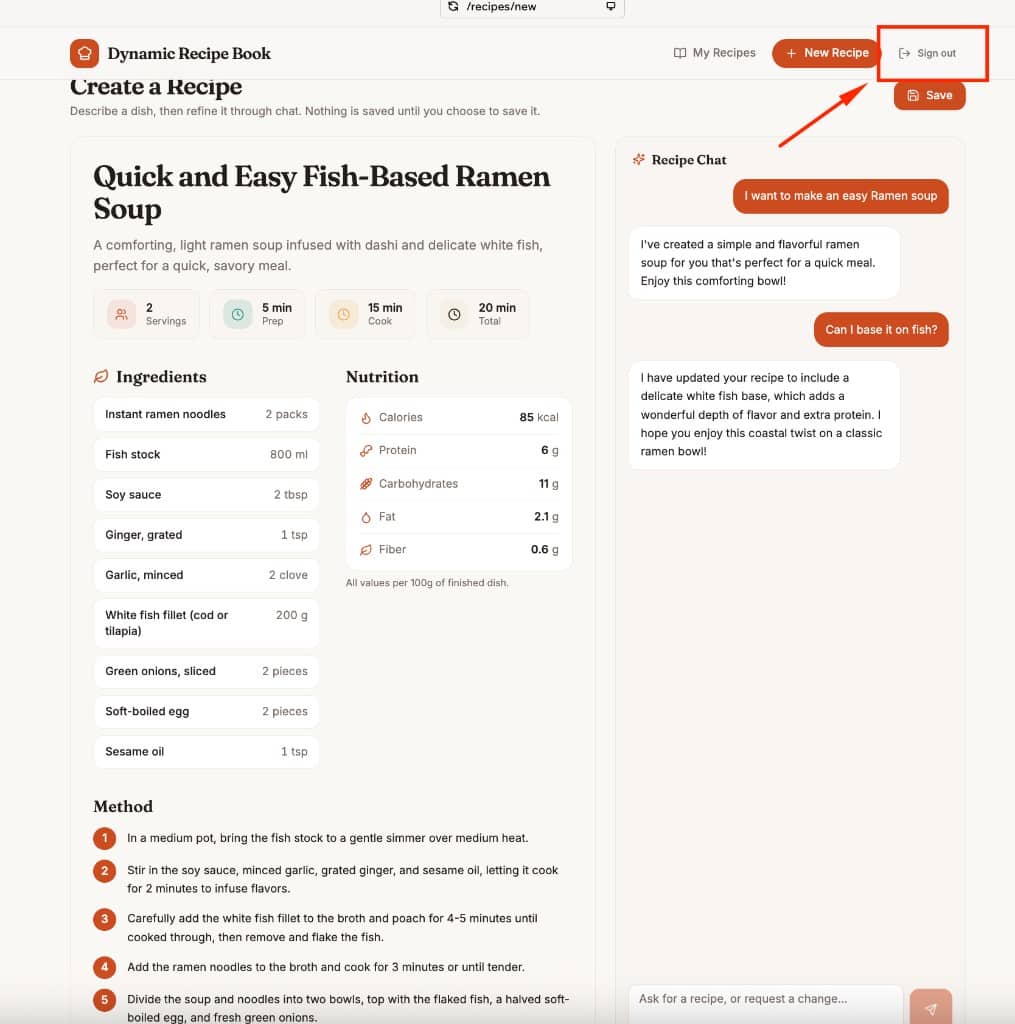
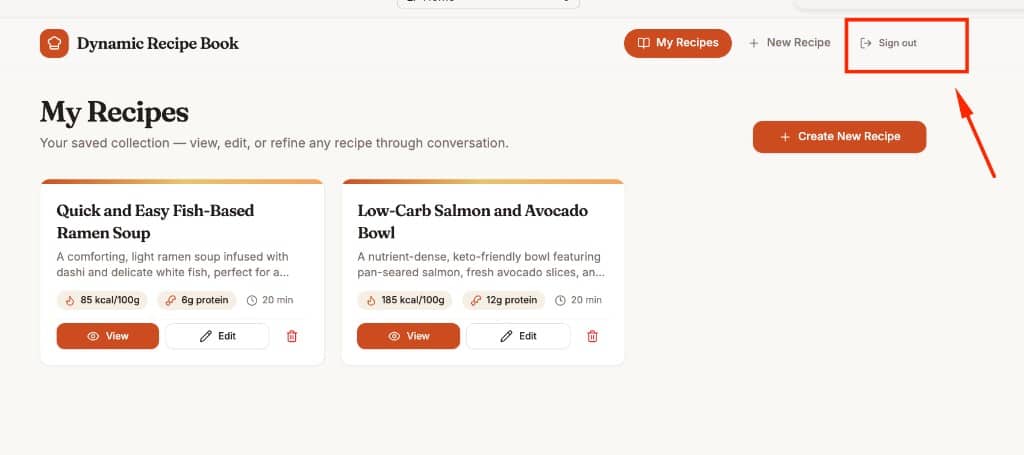
Data in the secureFlows console
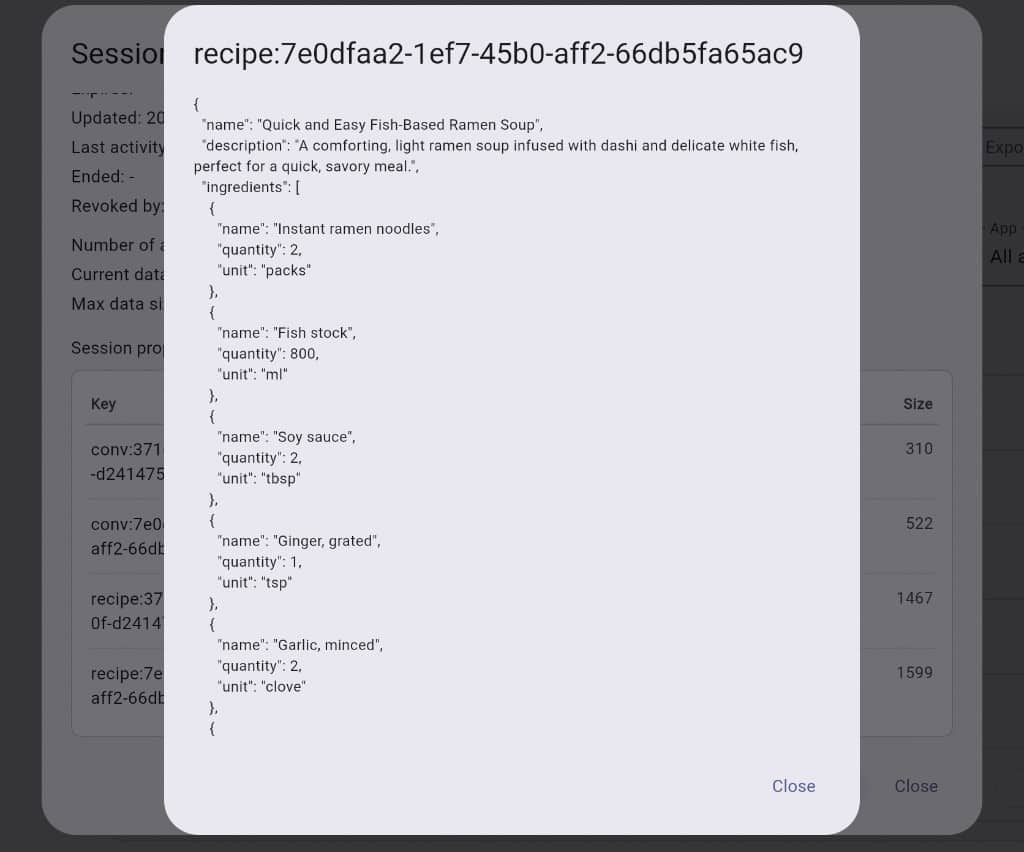
The interesting part for me as the workspace owner: the data is now visible in the secureFlows console. On the Sessions page, each user’s record is isolated. Base44 modeled the app as two kinds of keys — conversations and recipes — with matching ids so a chat and its recipe stay linked:
conv:<id>— the chat used to refine that reciperecipe:<id>— the saved recipe JSON (name, ingredients, nutrition, …)
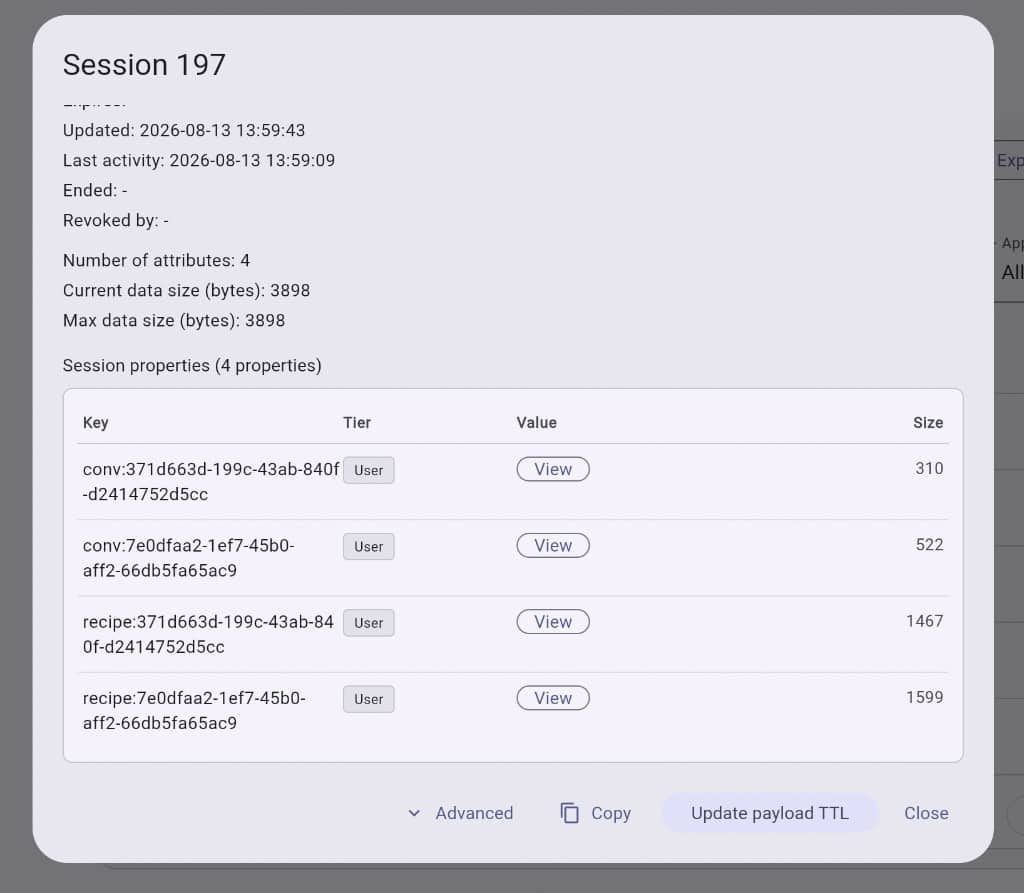
conv: and
recipe: keys side by side.
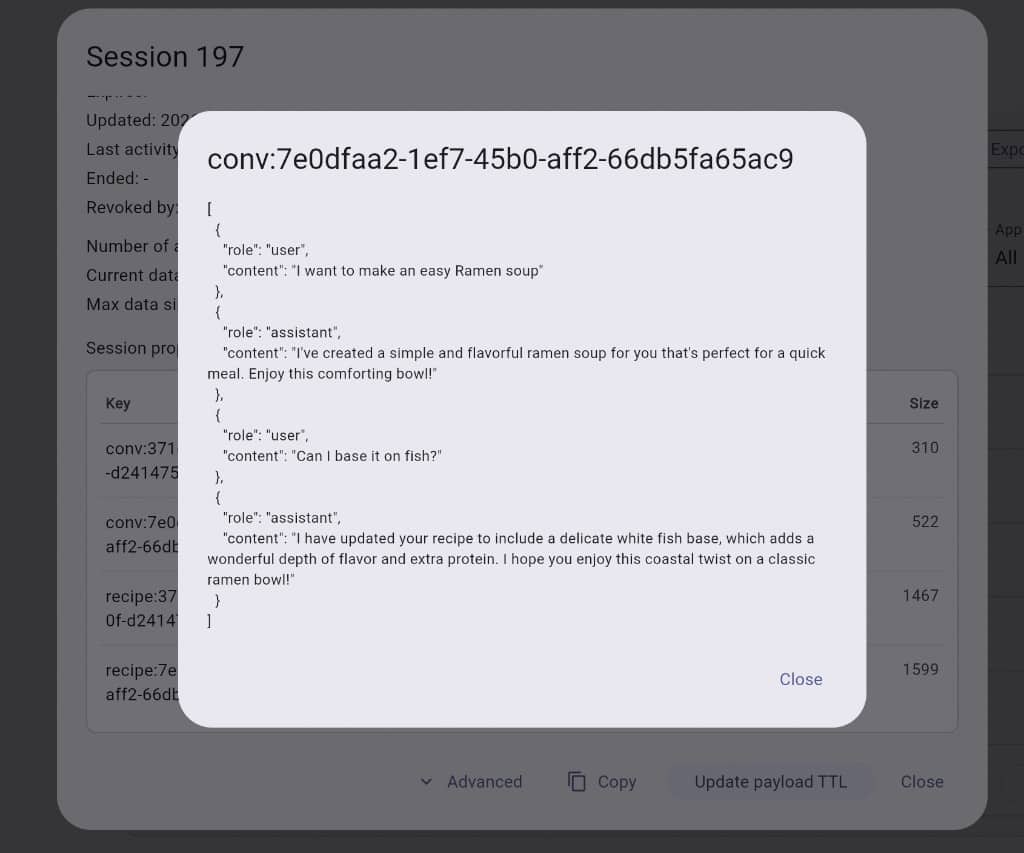
That’s the whole loop: build locally with an AI app builder, migrate with a short secureFlows prompt, and inspect private per-user data in the console — without inventing your own auth or user database.
Try it live